Expert CCTV & Network Testing Solutions
Advanced diagnostic tools for security system professionals
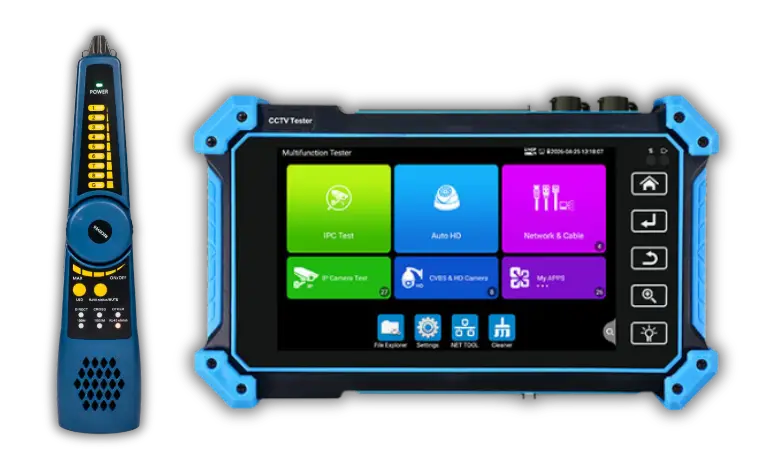
Advanced CCTV Tester
• 5.4" IPS touchscreen (1920×1152) with 8K H.265/H.264 video and 8MP camera testing
• Comprehensive testing: CVI/TVI/AHD/SDI cameras, TVI intercom, and coaxial audio
• Advanced I/O: VGA (2048×1152), HDMI 4K, DC12V/48V PoE output with port protection
• Network diagnostics: ONVIF auto-config, RJ45/UTP cable testing, and LLDP/CDP switch detection
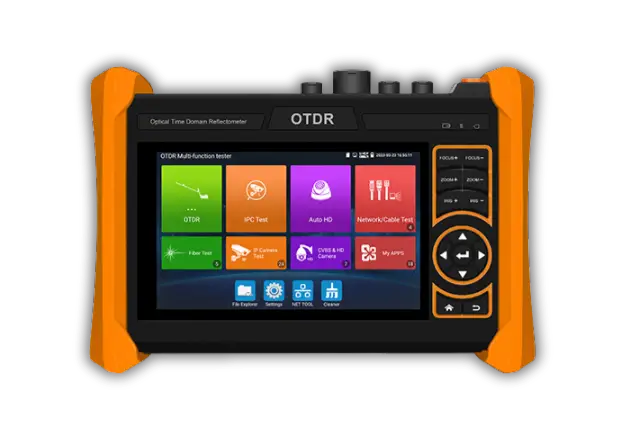
Network & Fiber Tester
• 5.4" HD IPS touchscreen with 4K H.265 display for 8MP camera testing and TVI 5.0 audio
• Dual-wavelength fiber testing (1310/1550/1610nm) up to 150KM with automatic event analysis
• Stores 30,000+ test curves with zoom/detail view and UCC A/B-Type menu control
• VGA/HDMI 4K inputs, optical power meter, and visual fault locator for comprehensive diagnostics
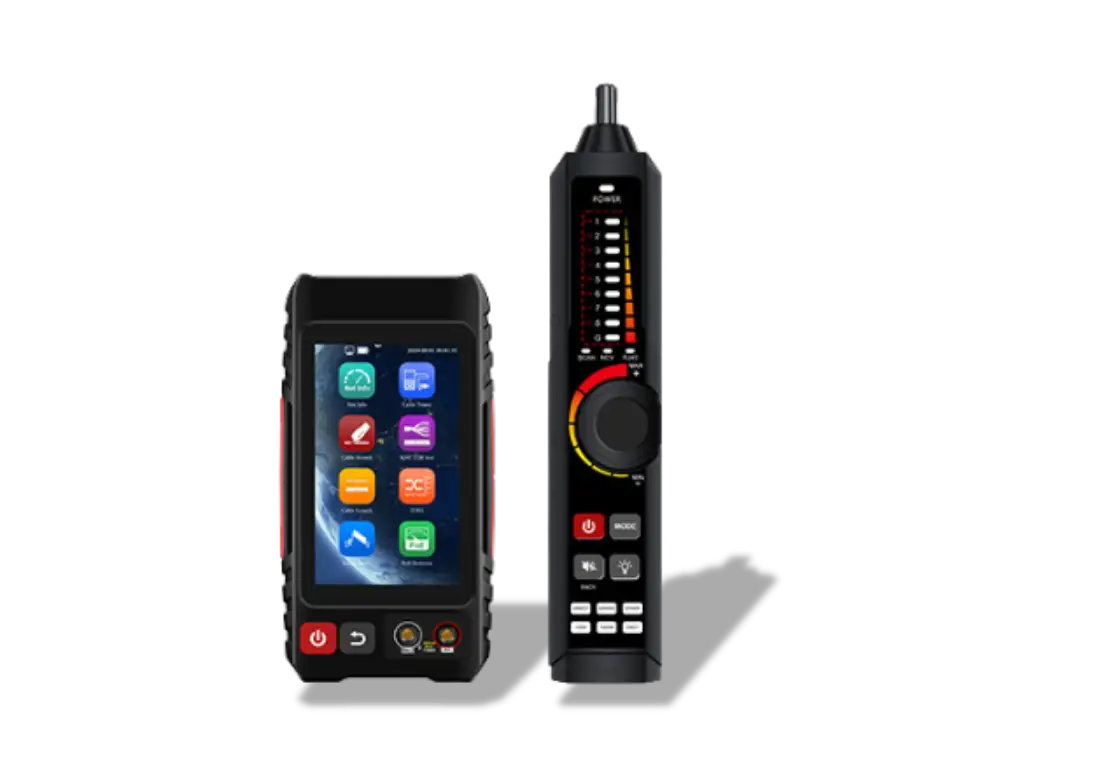
Integrated Diagnostic System
• Integrated cable testing suite with TDR, PoE detection, and 3000m length measurement
• Electrical safety features including NCV voltage scanning and auto-ranging digital multimeter
• Full network diagnostics via 1000M port with ping, route tracking, and IP conflict detection
• Data export via FTP and optical testing tools including power meter and fault locator
Understanding CCTV Testers
CCTV testers are essential portable diagnostic tools that enable security professionals to efficiently test cameras during installation, maintenance, and troubleshooting by combining multiple functions like built-in monitoring, power output, and various testing modes for both analog and IP cameras. They verify video signals, test PTZ controls, measure voltages, check cable integrity, and reduce setup time while eliminating the need for bulky equipment. When choosing a tester, key considerations include screen size, supported protocols, battery life, and features like Wi-Fi connectivity, video recording, and comprehensive cable testing—investing in a quality unit ultimately saves time, improves installation quality, and enhances customer satisfaction.
Network Tester Essentials
Advanced network testers offer additional capabilities such as switch port identification, VLAN detection, and bandwidth testing. Some models include tone generators for cable tracing in complex installations, making it easier to identify specific cables in crowded cable runs. The ability to test PoE voltage and power delivery is especially valuable for IP camera installations, as insufficient power can cause intermittent camera operation or premature equipment failure. By investing in quality network testing equipment, installers can ensure reliable system performance and reduce costly service callback.
Expert Insights & FAQs
Professional answers to common testing questions
What is a CCTV tester and why do I need one?
▼
A CCTV tester is a portable diagnostic device that helps you verify camera functionality, check video signals, and troubleshoot issues during installation or maintenance. It's essential for professional installers to ensure quality work.
With a CCTV tester, you can test camera resolution, check video signals, verify power supply, and diagnose connection issues quickly on-site without needing a full monitoring system setup. This saves time and ensures installations are done correctly the first time.
How do I test an IP camera with a network tester?
▼
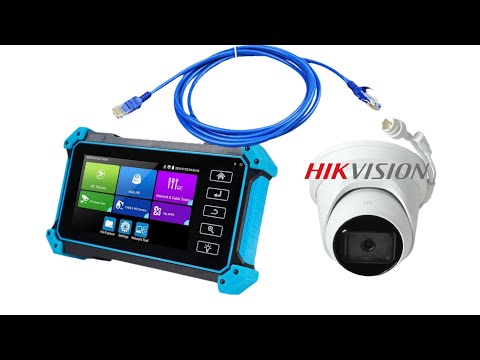
Connect your network tester to the camera's network cable to verify connectivity, check PoE power delivery, and test data transmission. This ensures your IP camera has proper network access and power supply.
Most network testers will show you the connection speed, packet loss statistics, and can even ping the camera to verify it's communicating properly on the network. They can also identify cable faults and measure cable length.
What's the difference between analog and IP camera testing?
▼
Analog cameras use coaxial cables and video signals, while IP cameras use network cables and digital data. Each requires different testing methods and tools, though many modern testers support both types.
Analog testing focuses on video signal quality, voltage levels, and coaxial cable integrity, while IP camera testing involves network connectivity, PoE verification, and digital data transmission. Modern multi-testers can handle both types, making them versatile tools for hybrid systems.
Can I test PoE cameras without power supply?
▼
Yes, many CCTV testers have built-in PoE output capability, allowing you to test PoE cameras directly from the tester without needing a separate power source or network switch.
This feature is invaluable for on-site installation and troubleshooting, as you can quickly verify if a camera is working without carrying additional power supplies or network switches. The tester provides the necessary power and tests the camera's functionality in one step.
How do I troubleshoot no video signal issues?
▼
Check cable connections, verify power supply, test with a CCTV tester, and inspect for physical damage. The tester can help identify if the issue is with the camera, cable, or power source.
Start by testing the camera directly with the tester, then test the cable separately, and finally verify power delivery at the installation point. This systematic approach helps quickly isolate and resolve video signal issues.
What cable types work best for CCTV installations?
▼
For analog cameras, use RG59 or RG6 coaxial cable. For IP cameras, Cat5e or Cat6 Ethernet cable is recommended. Cable quality significantly impacts video quality and transmission distance.
Always use outdoor-rated cable for exterior installations and ensure proper shielding to prevent interference, especially in areas with electrical equipment or high electromagnetic fields. For long runs, consider using higher quality cables or signal amplifiers.